Sharpening My Vibe Coding Skills: Adding Personal Skills to Coder
I’d typed some version of the same paragraph into Coder Agents chat a dozen times before it occurred to me that I was the bug.
Long agent sessions have a specific failure mode: the context window fills up, a compaction kicks in, and if it lands at just the wrong moment — right after a fresh prompt, before the model has really absorbed it — the summary that comes out the other side is subtly wrong. Not broken, just off. You don’t notice until three tool calls later when the agent is confidently doing the wrong thing for a reason that traces back to a compaction that quietly lost a detail. The fix, once you notice it, is always the same: stop, write up exactly what’s been done and what’s next, and hand it to a fresh chat before the old one gets any worse. I’d done this by hand often enough that I could recite the handoff template from memory.
Separately, and for no related reason except that both were things I did constantly, connecting a brand-new workspace to my homelab workstation over SSH was its own little manual ritual — generate a key if one didn’t exist yet, copy the registration command over, register it on the homelab side, retry the connection, repeat next time from scratch.
I was complaining about the first one in Slack to a colleague, Mike, when the actual idea landed.
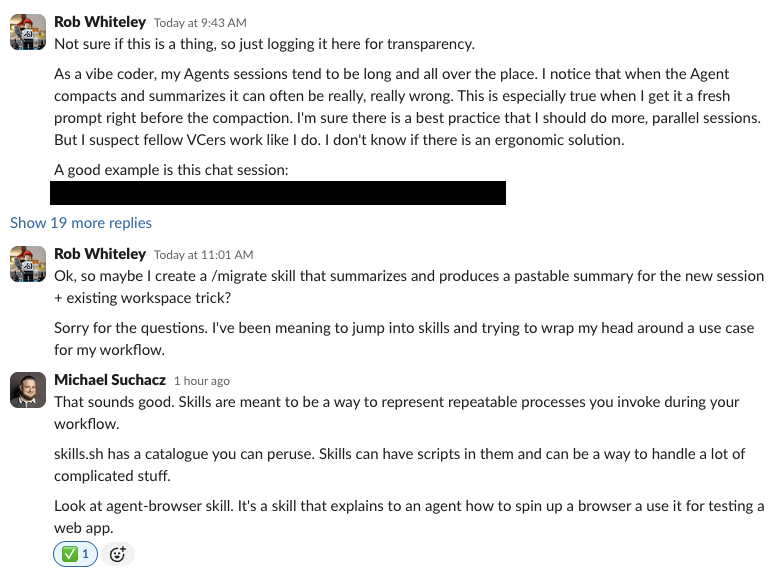
Coder Agents supports Skills — reusable instructions an agent can load on demand, following the open Agent Skills / SKILL.md convention that’s shown up across several agent tools this year. I’d read about them. I just hadn’t actually built one. So I did what felt like the obvious thing: wrote a /migrate skill as a plain file, dropped it in ~/.agents/skills/, and expected to see it in the / autocomplete menu the next time I opened a chat.
It didn’t show up. That turned into the more interesting part of the afternoon.
Background Coder Agents Actually Has Two Skill Systems
The Settings UI has a Personal Skills page. The / menu in chat has an autocomplete for skills. I assumed those were two views onto the same thing — write a skill file, it shows up in both places. After a full workspace restart and a brand-new chat didn’t fix anything, I stopped guessing and cloned github.com/coder/coder to read the actual source.
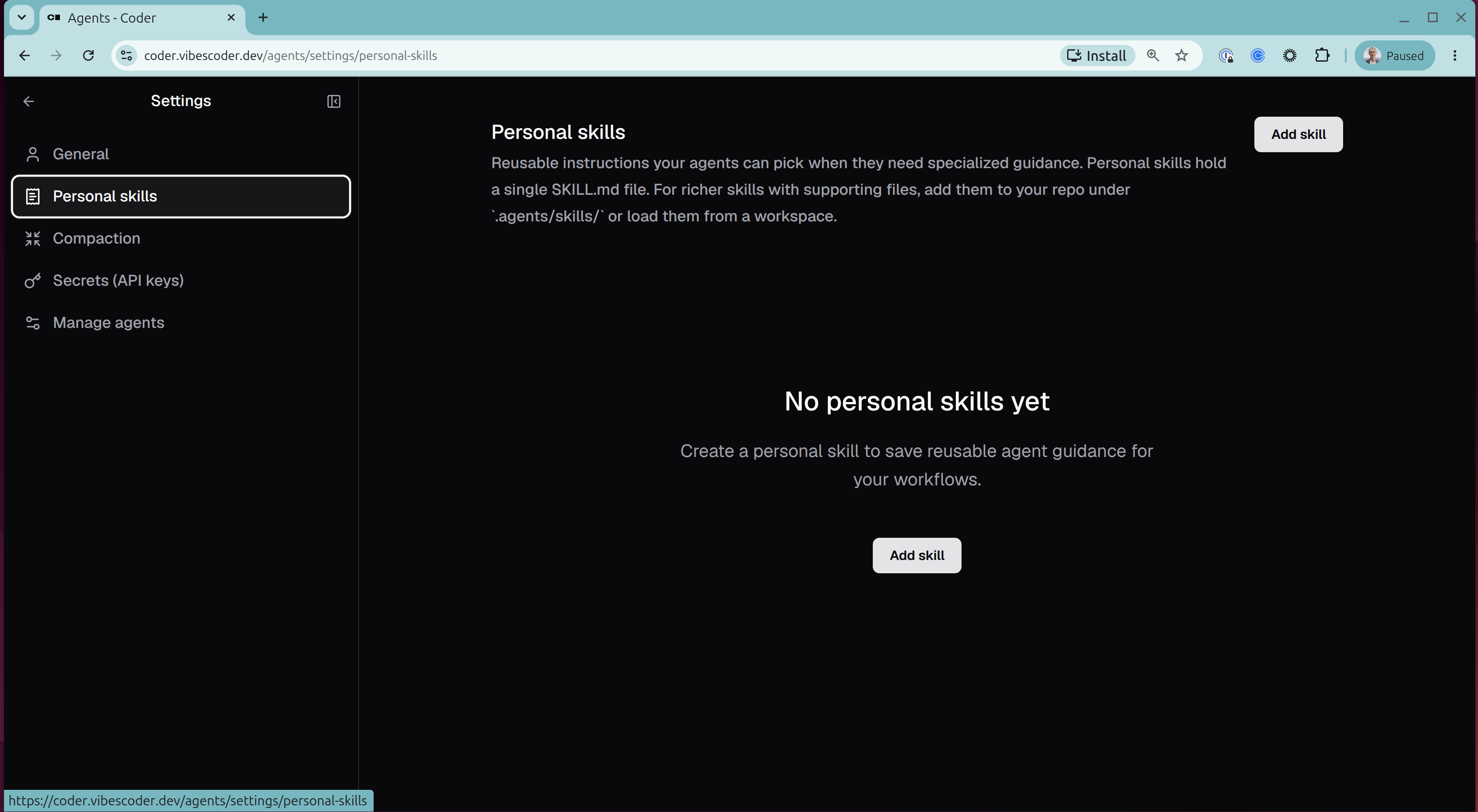
/ menu that flatly refused to acknowledge the filesystem-based one I’d already built.
There are two entirely separate systems, and they don’t overlap:
- Personal skills are database-backed and per-user. They follow you across every chat and every workspace, and you create them either through Settings → Agents → Personal Skills, or the
/api/experimental/users/{user}/skillsAPI. This is what the/menu actually queries. - Workspace skills are filesystem-discovered from
.agents/skills/inside a specific workspace. They’re git-trackable, can ship supporting files and scripts alongside theSKILL.md, and the model picks them up through its own judgment or natural language — never through the/menu, by design.
The / menu’s PersonalSkillsTriggerMenu component only ever talks to the database-backed kind. My filesystem skill wasn’t broken. It was invisible to that specific menu on principle, and no amount of restarting was ever going to change that.
There’s a second gotcha buried in there that explains why nothing seemed to fix it: personal skill metadata gets refetched fresh on every single chat turn, while workspace skills are snapshotted once and pinned to a chat the moment it starts. That’s why my filesystem-only /migrate never worked no matter how many times I restarted the workspace or opened a new chat — and why the instant I rebuilt it as a Personal skill instead, it worked in the very same chat, with zero restart required.
Shipping /Migrate and /Homelab as Personal Skills
Once I knew which system I actually wanted, both skills were straightforward to build — genuinely portable, no supporting files needed, follow me across every workspace I touch.
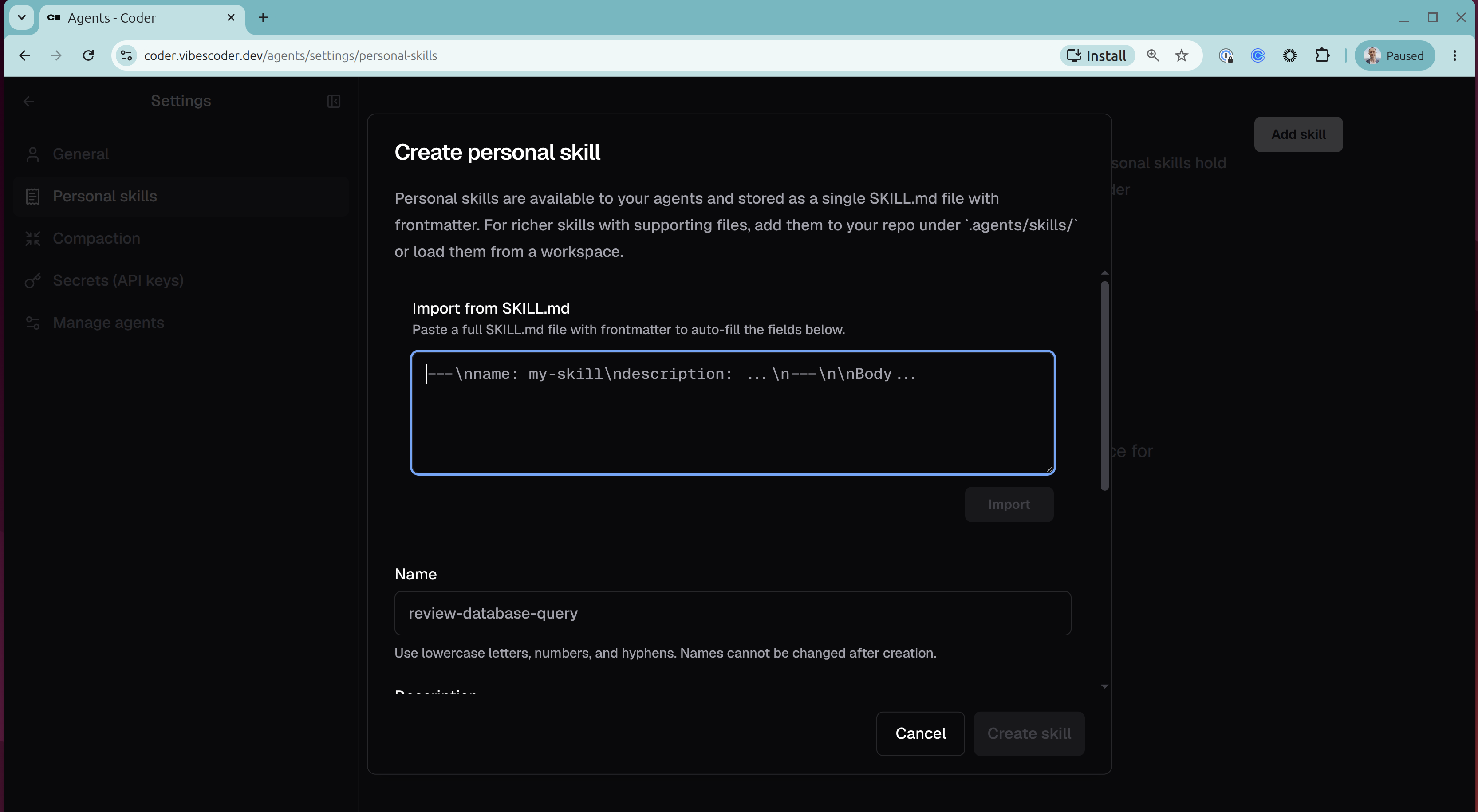
SKILL.md and the Name/Description/Body fields auto-fill.
/migrate writes a structured handoff document to a workspace-local ~/.agents/handoffs/ file, along with a ready-to-paste resume prompt, and self-attaches the current workspace using the native create_workspace/start_workspace chat tools if the fresh chat doesn’t already have one. /homelab checks whether ~/.ssh/homelab_ed25519 exists, generates it if not, and prints the exact one-liner needed to register it on the homelab machine, then retries the connection a handful of times. Both got tested live end-to-end — /homelab specifically through a real permission-denied → key-registration → successful-SSH cycle, not just a happy-path run.
I did hit one hard wall rather than a soft one: full automation of “spawn an entirely new chat” for /migrate turned out to be structurally impossible with what’s available today. I confirmed it live — a genuine 401 against the Chats API using the workspace’s own agent token. create_workspace and start_workspace are native tools, but they’re scoped to the calling chat’s own workspace only; there’s no create_chat tool. Real automation there would need a personal Coder session token, which I deliberately decided not to introduce yet just to save myself a couple of copy-paste steps.
Giving Skills a Real Home the Agent-Skills Repo
Personal skills live in the database, which is convenient — no restart, no sync step — but also means there’s no version history, no diff, no way to see what changed. And once I started adding the Workspace-tier skills (/ff, /todo, /scan) and wired up a sync mechanism to keep them current, I immediately hit a bug in my own solution: freshly synced skill files kept showing up as stale copies instead.
The fix for the version-history problem was a new private repo, carryologist/agent-skills, split into personal/<name>/SKILL.md (paste into the Settings UI by hand) and workspace/<name>/SKILL.md (auto-synced into any workspace built from the Docker template). A coder-templates startup-script step clone-or-pulls agent-skills into ~/.agents/skills/.agent-skills-sync and symlinks each workspace/<name> directory into place.
The stale-copy bug traced back to something dumb I’d done to myself a week earlier: ln -sfn can’t replace a pre-existing real directory — only another symlink — and I’d manually cp‘d the workspace skills into place for early testing before the sync script had ever run. The symlink step was silently losing every time to leftover manual copies from my own earlier testing. Fixed by clearing any non-symlink target before linking.
There’s a real open question buried in that bug I still haven’t chased down: the startup script starts with set -e, and the failing ln step still didn’t abort the rest of the script. Worth understanding before I write more startup-script logic that assumes set -e will actually catch a failure the way it’s supposed to.
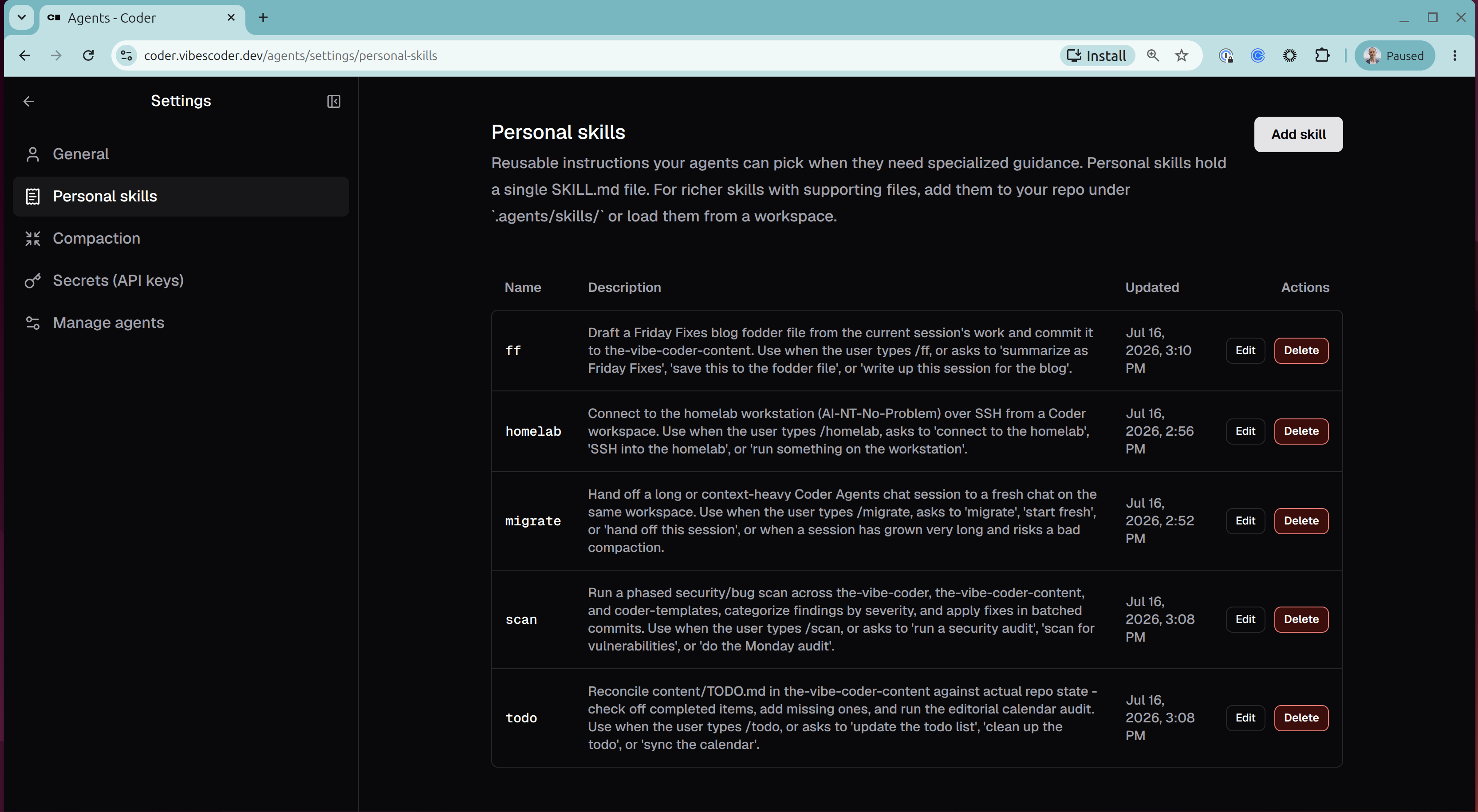
Where It Landed
Five skills, two of them Personal (/migrate, /homelab) and three Workspace-tier (/ff, /todo, /scan), all available from the very next chat I opened with zero setup required on my end. The thing that actually started this — losing a detail to a bad compaction mid-session — hasn’t happened since. When a session runs long now, I type /migrate, get a clean handoff doc and a resume prompt, and start fresh instead of hoping the compaction landed cleanly.
The more durable outcome, though, is the two-systems distinction itself. It’s not documented anywhere obvious, and “restart the workspace” is the natural first instinct when something in Coder Agents isn’t showing up — which is exactly the instinct that burns an afternoon on this particular problem, because restarting fixes nothing here. If your skill isn’t showing up in the / menu, the question isn’t “did I restart enough” — it’s “did I build the right kind of skill.”
By the Numbers
- 5 skills shipped:
/migrate,/homelab(Personal),/ff,/todo,/scan(Workspace) - 2 completely separate skill systems in Coder Agents, only one of which the
/menu will ever show - 2 repos created or modified:
carryologist/agent-skills(new),carryologist/coder-templates(startup-script sync step) - 1 real bug found and fixed in the sync mechanism, in the same session it was introduced
- 1 dead end fully explained by reading
coder/codersource directly instead of guessing - 0 new credentials introduced — full Chats API automation deliberately deferred rather than adding a session token just to save a few copy-paste steps